Submissions & Queries

by L. Diane Wolfe, @SpunkOnAStickDLP FFP
Writers have many options when it comes to getting stories in front of readers. If you’re seeking a traditional publisher or an agent, you’ll need to submit your manuscript for consideration. A lot of work goes into the process, so you want to do it right and not waste your time.

As the owner of Dancing Lemur Press, L.L.C. and Freedom Fox Press, I’ve seen a lot of queries over the years. What’s sad is how many I reject without ever getting to the story itself. Most of the issues could be avoided by taking a few simple steps.

1 – Learn to do a proper query letter

There are websites and books dedicated to query letter writing. Study them and practice. Understand the format and keep the query to one page. Polish your pitch and focus on the basics – who, what, where, when, and why. Learn how to write a proper synopsis (a brief encapsulation covering the key plot points) and an outline (an exhaustive summary of an entire manuscript, with a descriptive paragraph devoted to each chapter.)

2 – Research the publisher/agentpredlogo

Check what genres they publish and what they are currently accepting. The submission guidelines on their website will have the most current information. Examine the books they’ve published in the past. Once you’ve made a list of potential candidates, locate them on the Preditors and Editors website.  If you see red, run away.

3 – Read the submission guidelines carefully

What do they want you to send? Query letter only? A synopsis? An outline? The first three chapters? Only send what they request. Also note if they ask for a marketing plan or any other specific information. Address the proper person in the query letter. Most publishers and agents accept email queries now and you’ll want to paste your information in the body of the email, as emails with attachments are often deleted without being read.

Remember, a query letter is an editor’s first impression of a new writer. It’s the first test a writer must pass in the submission process. And there are many reasons why submissions are rejected:

  • Improper formatting
  • Addressed to the wrong person
  • Omission of requested information.
  • Poor attitude—writer comes off as cocky, overbearing, insolent, or just a jerk.
  • Querying a genre they don’t accept
  • Author isn’t marketable
  • Synopsis doesn’t intrigue or grab the editor/reader
  • A similar book is already in production
  • Manuscript isn’t marketable or it doesn’t fit their current needs
  • Editor was having a bad day

The first five items send one of two messages – either the writer can’t follow directions or he/she will be difficult to work with. Those will result in a rejection every time no matter how good the story. An unmarketable author might be someone with no means to promote the book or someone highly controversial. The remaining items all have to do with timing, quality of work, and sometimes back luck. Whatever response you get, address the issue and move on.

Follow those steps and avoid the pitfalls where possible. Make your submission stand out in a good way. Believe me, nothing makes me happier than receiving a proper query letter!

Diane Wolfe owns Dancing Lemur Press, L.L.C. and is the author of seven books, L Diane Wolfe Promo 1including two non-fiction titles and a NA/YA series, The Circle of Friends. Known as “Spunk On A Stick,” Wolfe is a member of the National Speakers Association. She conducts seminars on book publishing, promoting, leadership, and goal-setting, and she offers book formatting and author consultation. She travels extensively for media interviews and speaking engagements, and contributes to the Insecure Writer’s Support Group website.

Dancing Lemur Press, L.L.C.

Spunk On A Stick

Spunk On A Stick’s Tips

The Insecure Writer’s Support Group

A publisher with tips for submissions and queries: Click To Tweet
Twitterific Writing Links

by Elizabeth S. Craig, @elizabethscraig

Twitterific writing links are fed into the Writer’s Knowledge Base search engineBlog (developed by writer and software engineer Mike Fleming) which has over 30,000 free articles on writing related topics. It’s the search engine for writers.

5 Reading Pet Peeves:  http://ow.ly/103X4g @RobinStorey1

On Selling Direct:  http://ow.ly/103Xut @carlaking

Can I Fit 900 Words on the Back Cover?  http://ow.ly/103WJ4  @WriteandCover

How Targeting Genre Can Make a Difference in Your Writing Career:  http://ow.ly/103Xau @CSLakin

10 Apps to Help You Be More Efficient as a Writer:  http://ow.ly/103Xiz @CaballoFrances             Continue reading

Create a Dedicated Book List for Non-Amazon Retailers

by Elizabeth S. Craig, @elizabethscraigBook Lists

For Monday’s post, I mentioned that I frequently amend published books with updated back matter.  I do this for both Amazon and non-Amazon retailers.

Author Deborah Nam-Krane stated in the comments for the post that she had run into some trouble while updating back matter on Smashwords. Which reminded me that I had also run into trouble there for the same reason.

My updates had kicked a couple of books temporarily out of the Smashwords catalog because I’d linked to Amazon with my buy-links. Accidentally. Because, by default, nearly every buy-link I’ve got goes to Amazon…the retailer where I make the most money.

I do get steady income from non-Amazon retailers, also. Why make it more difficult for readers who are interested in my books to find them?

But when I thought about the fact that I had 19 published books, the idea of going through and making separate book lists for Apple or Kobo (because, really, who knew where it was going to stop? Would I get kicked out of the catalog because Kobo was upset by a random link to Apple?) it seemed like a more time-consuming project than I could possibly invest in.

At the same time, I was also hearing advice about making sure we link to all the retailers on our websites. And my website ‘Books’ page was already looking unwieldy with the number of published books I’ve got and all the different formats and retailers.

I kept reading that we should have a dedicated page on our websites for each of our books: I’ve heard this from everyone from Tim Grahl to Jane Friedman.  To be honest, I never quite caught the why with this, but after repeatedly hearing this advice from people I trust, I stopped wondering why.  I’m sure it’s got to have something to do with SEO and our book titles. At any rate, I created a page for each book and links to each retailer/format on my website.

Then it was easy.  I typed up a list of my published books with hyperlinks leading back to each book’s page on my site, giving readers their choice of retailer and format for my books…audio, print, ebook, kindle, epub, etc.

Most importantly, I keep this list handy.  I’ve got it backed up to clouds and servers and can easily copy-paste it when I am uploading books to distributors like Smashwords or Draft2Digital or individual retailers.

It’s one of those things that cost me a chunk of time to set up but has saved me time later and has hopefully also provided readers an easy way to find the rest of my books.

How do you handle linking to your other books on non-Amazon sites?

Create a dedicated book list for non-Amazon retailers: Click To Tweet

Making Changes to a Published Book

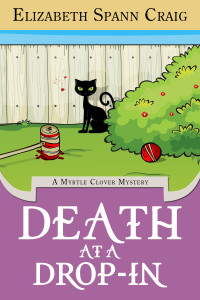
by Elizabeth S. Craig, @elizabethscraigDeathataDropin_ebook_Final

One of the things that delights me about self-publishing is the ability to go into a published book’s files and make changes.

For my traditionally-published books, I can’t do a darn thing with the files.  I’ve alerted both Penguin Random House and Midnight Ink to reader-reported problems with both digital and print files that have resulted in missing pages, duplicate pages, and–in one particularly horrifying example–a completely different book from a  completely different author that Penguin Random House implanted in the last half of one of my mysteries. Problem at the printer? I’ve no idea, but I knew that the chance that I could get it fixed was iffy.  I ended up sending these readers signed copies of the book from my personal stash at home.

For my self-published books, I’ve made changes to the finished files quite a few times and for different reasons.Continue reading

Twitterific Writing Links

by Elizabeth S. Craig, @elizabethscraig

Twitterific writing links are fed into the Writer’s Knowledge Base search engineBlog (developed by writer and software engineer Mike Fleming) which has over 30,000 free articles on writing related topics. It’s the search engine for writers.

What Comes Before You Start Writing: Premise, Execution, World:  http://ow.ly/ZGxkM  @mileconnors

Quick tip for selling more books on Pinterest:  http://ow.ly/ZGwon  @sandrabeckwith

.@KillerNashville offers awards for pubbed and unpubbed writers:   http://ow.ly/106BxM and http://ow.ly/106BGm (Deadline Apr.30)

The importance of LinkedIn:  http://ow.ly/ZGxIh  @lisajjackson

10 Types of Apostrophe Errors to Avoid: http://ow.ly/ZGxMh @writing_tips         Continue reading

Scroll to top