Difficult Books

by Elizabeth S. Craig, @elizabethscraig

Difficult Books by Elizabeth Spann Craig, photo by butkovicdub at Morgue File

I was so happy at finishing my most recent book on Thursday that my sigh of relief might have been heard miles away.

This book was the sixth book in a series and my 20th book altogether (not counting the box sets). But this book was a reminder to me that sometimes it doesn’t get easier as we go. Or, really, that each book is just different.

It was the hardest book to write (aside from Hickory Smoked Homicide in 2011…a book I nearly deleted in frustration several weeks before deadline).  And it was the book I’ve run behind the worst on.  I’m releasing it a month later than planned. It needed a lot of extra time to make it a really solid mystery. I’m happy with it now, but there were many things that made the writing of this book complex:Continue reading
Writing Longhand

by Elizabeth S. Craig, @elizabethscraig

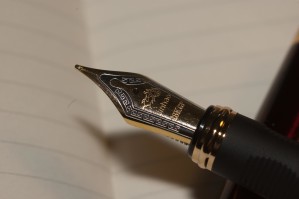
Writing Longhand by Elizabeth Spann Craig

One of the ways I motivate myself to the treadmill every other day  is to listen to podcasts while I walk.  These range from strictly writing-related podcasts to shows like Freakonomics, which frequently give interesting insights on different topics.

When I saw an episode titled “Who Needs Handwriting?” on Freakonomics (by Stephen J. Dubner, produced by Alison Hockenberry), I immediately downloaded it to listen.  This is a topic that can get rather heated, from what I’ve observed among parents.  My kids were never taught cursive handwriting … and my daughter was never taught to type.  Since I considered typing  a necessity,  I taught her the home keys and had her practice at home.  She’s very speedy by this point. But I never considered teaching her cursive. In fact, I haven’t used cursive myself since elementary school.

But I do like to print sometimes.  I’ve always found, when I write something down in a meeting or while in school, I never had to review my notes later.  Writing in longhand set the information in my memory for good.Continue reading

Twitterific Writing Links

by Elizabeth S. Craig, @elizabethscraig

Twitterific writing links are fed into the Writer’s Knowledge Base search engineTwitterific Writing Links (developed by writer and software engineer Mike Fleming) which has over 30,000 free articles on writing related topics. It’s the search engine for writers.

5 Steps to Get Started Writing Today:  http://ow.ly/4nhjRm @charityscraig

Evoking Emotions in Readers:   http://ow.ly/4mPSjW @JamiGold

Forum Highlights ‘Challenges in publishers grappling with consumer data’:   http://ow.ly/4nhkGm @Porter_Anderson @DouglasMcCabe               Continue reading

Being Intentional With Our Free Time

by Elizabeth S. Craig, @elizabethscraig

Being Intentional with Our Free Time by Elizabeth S. Craig

I don’t know about y’all, but I’ve had a very tough time finding time to just relax the past few years.

Part of the problem is that, when I’m not busy with mothering, driving my daughter to various activities, and managing the household, I’m writing, working on my website, figuring out marketing techniques…basically filling any available time up completely.

Part of the problem is that now I have a hard time relaxing in general.  I’m very restless during quieter times and I have that overwhelming feeling that I should be working on something.  Frequently I’ll jump up after five minutes or so and unload the dishwasher.  That kind of thing.Continue reading

Google Calendar to Simplify Life and Set Goals

by Elizabeth S. Craig, @elizabethscraigproduction plan

I’ve become something of a Google calendar fanatic.  I’ve completely outsourced my memory to it and have it open much of the day on my laptop and phone.

I used to love having a printed calendar, but disliked having to carry it with me for those frequent times that I needed to check it when I was away from the house.  Printed calendars meant that I usually still had to keep the bits of paper clutter associated with the calendar entry (the slip that listed all the food allergies on the soccer team when I’m in charge of snacks, etc.)

With Google calendar, I either copy-paste the detailed information for the appointment or task and add it to the “notes” section of the entry, or I transcribe the details/contact info on the paper. Then I toss the piece of paper away.  Having all of the information in one place saves me a lot of time and throwing away paper helps keep my house from getting cluttered.Continue reading

Scroll to top